Computer vision
Start with what the shelf shows.
Turn photos and video from the phones and tablets your stores already carry into shelf-level data: what is there, where it is, and how it compares to the plan. No hardware installation, and no historical sales data needed to start.
Sound familiar?
Stop running stores on records nobody trusts.
Phantom inventory
The system shows 12 on hand. There are none. So nothing reorders, and the hole sits there for weeks.
The plan and the store stopped agreeing
Facings drifted, an item got pushed, a new SKU never got cut in — or the store found a better layout. Nobody knows which version is right.
Shoppers can’t find it
The product is in the store, just not where the app, the store map or the personal shopper thinks it is. The sale walks out anyway.
Fixed cameras and robots cost too much
Shelf monitoring has meant a hardware project: installation, maintenance and a budget most stores never get.
How it works
Walk the aisle with a phone. See what’s actually there.
A short video from the phone, tablet or Zebra device your team already carries. Vision models recognize the products, facings and empty spots and build a realogram: a picture of what is really on the shelf, ready to set beside the plan. It’s a new source of operational data, straight from the store floor.
Capture
Anyone on the team films the aisle with the device they already carry.
See
Out-of-stocks, low stock, wrong product, misplaced product, messy presentation and planogram gaps — the things a manual audit misses.
Act
Each gap becomes a task, routed to whoever can fix it: the store, the warehouse or the DSD vendor.
Planogram compliance
The plan on one side. The shelf on the other.
Where they differ, you decide which one should win: reset the shelf, or update the plan to match what works in that store.
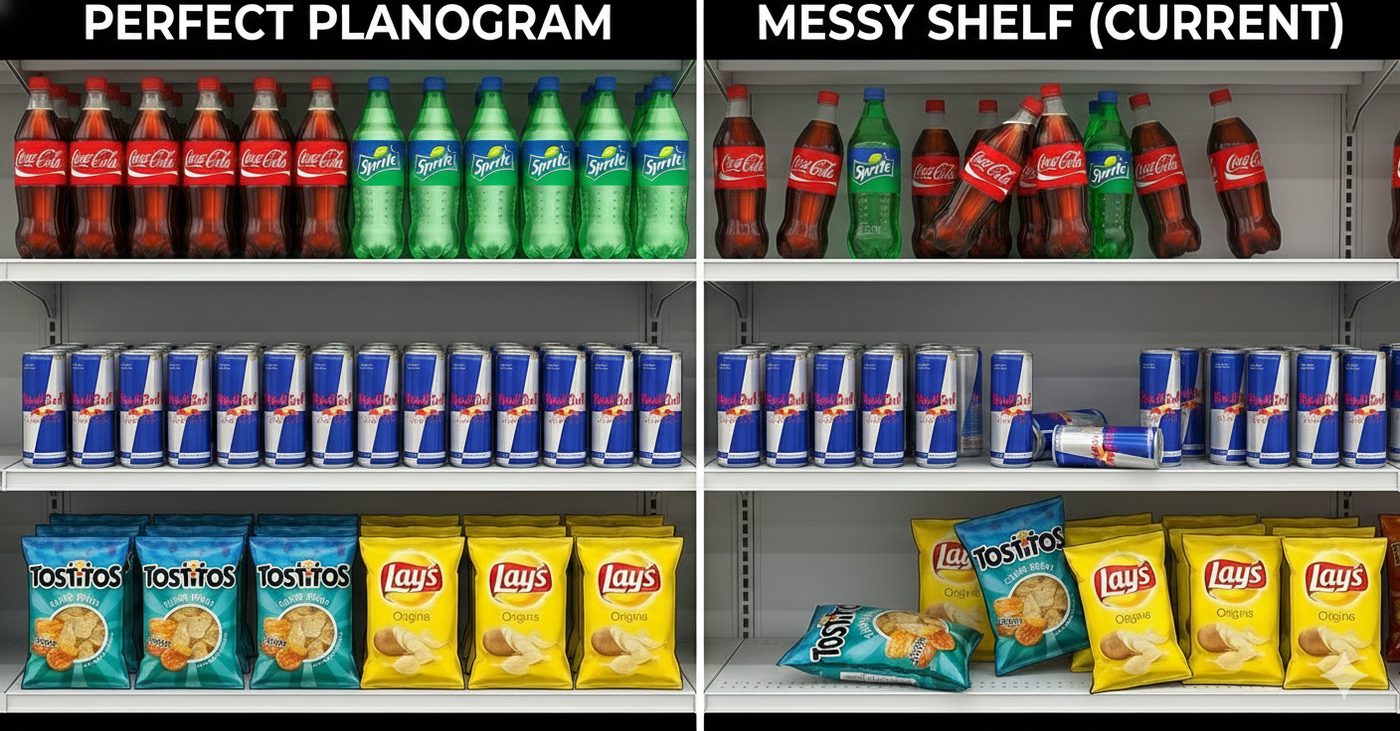
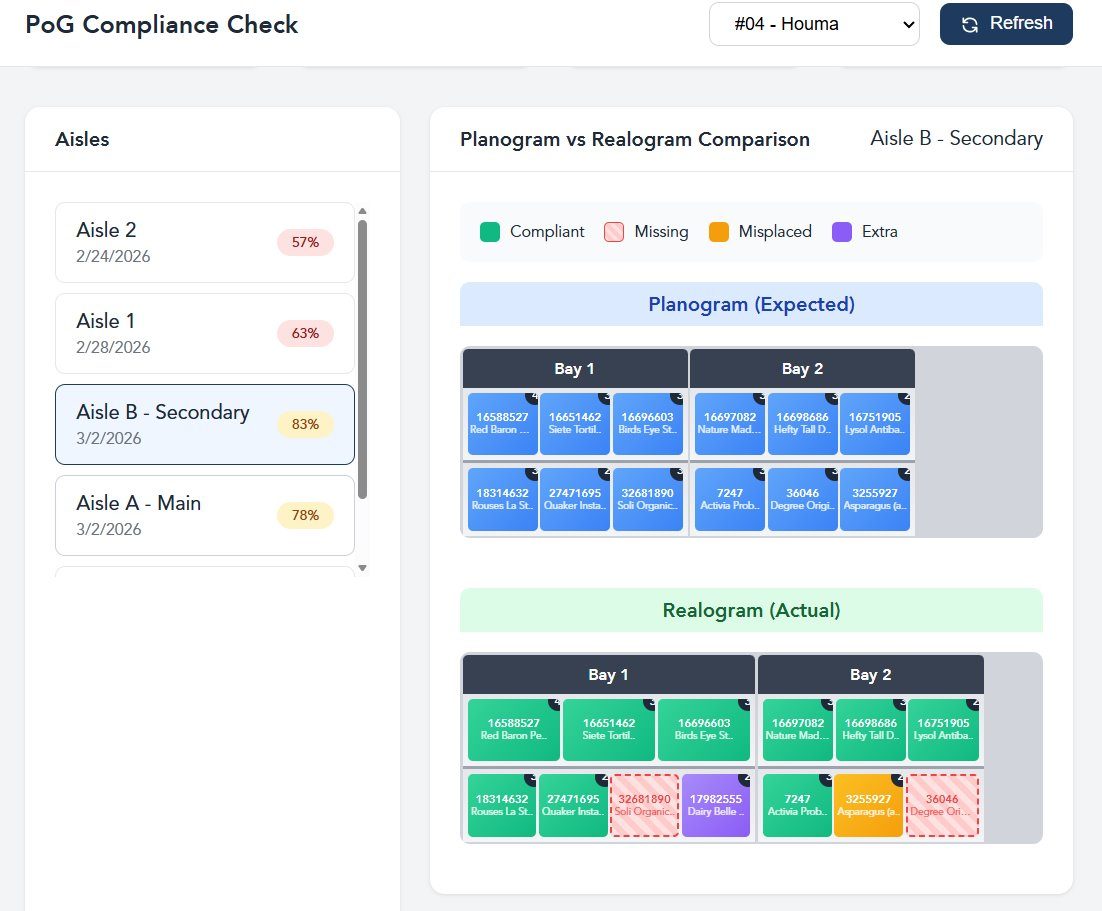
- Out-of-stock
- Low stock
- Wrong product
- Misplaced
- Messy facing
- Planogram gap
Product locations
Help customers find what they came for.
Every scan records where each product actually sits — aisle, bay and shelf. Those locations can feed your app, your store maps and your online-order pickers, so customers and personal shoppers go straight to the product instead of giving up on it.
When you’re ready
Connect more data as the value grows.
Shelf images alone already tell you a lot. Add POS, inventory records, planograms and deliveries, and the same foundation ranks every gap by what it costs and names its likely cause.
A likely cause, not just a flag
Phantom stock, planogram drift, a missed delivery, a pricing error. The fix is one step, not an investigation.
Ranked by what it costs
Each gap carries its cost in lost sales and waste. Your team sees the ten that matter today, not the thousand that don’t.
The foundation for the rest
The same data feeds Smart Audit and replenishment and promotional forecasting.
For store teams
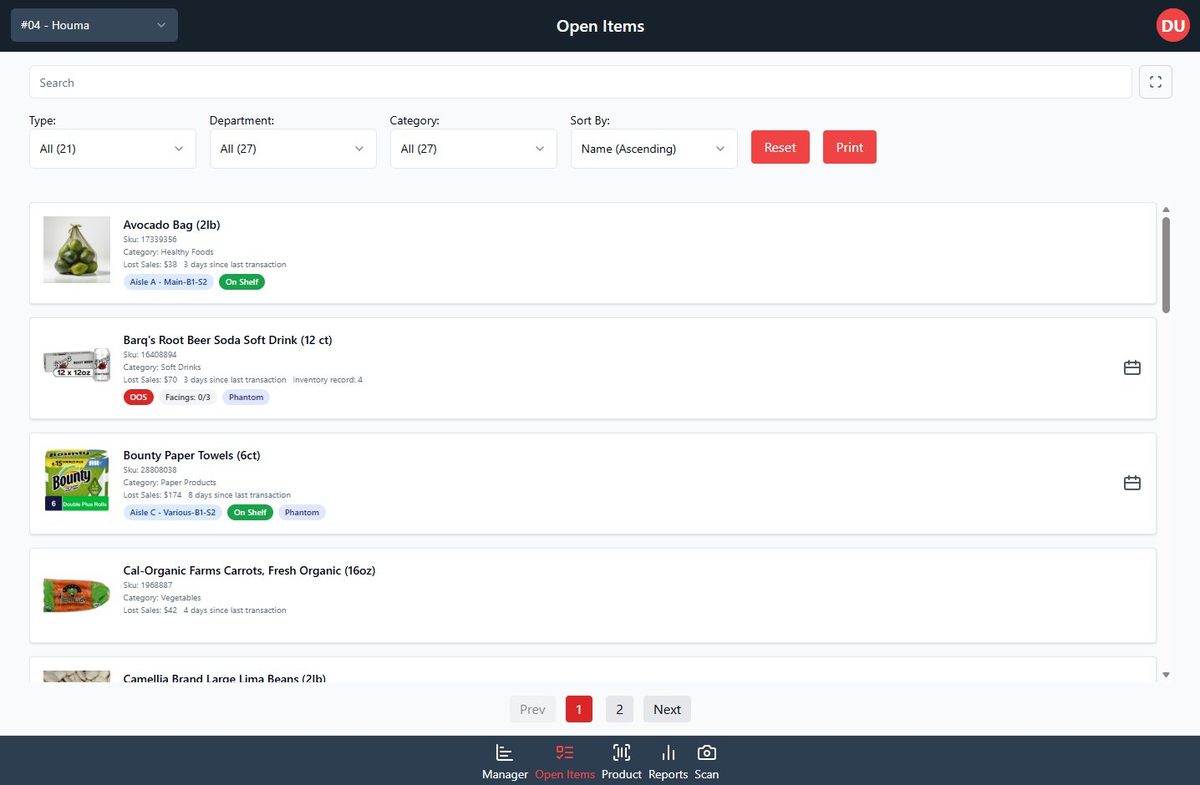
Every open gap, with what it’s costing and why.
Each item carries its estimated lost sales, days since its last sale, where it sits, and the likely cause — out of stock, phantom inventory, facings missing — so the fix is obvious.
For operational and executive leaders
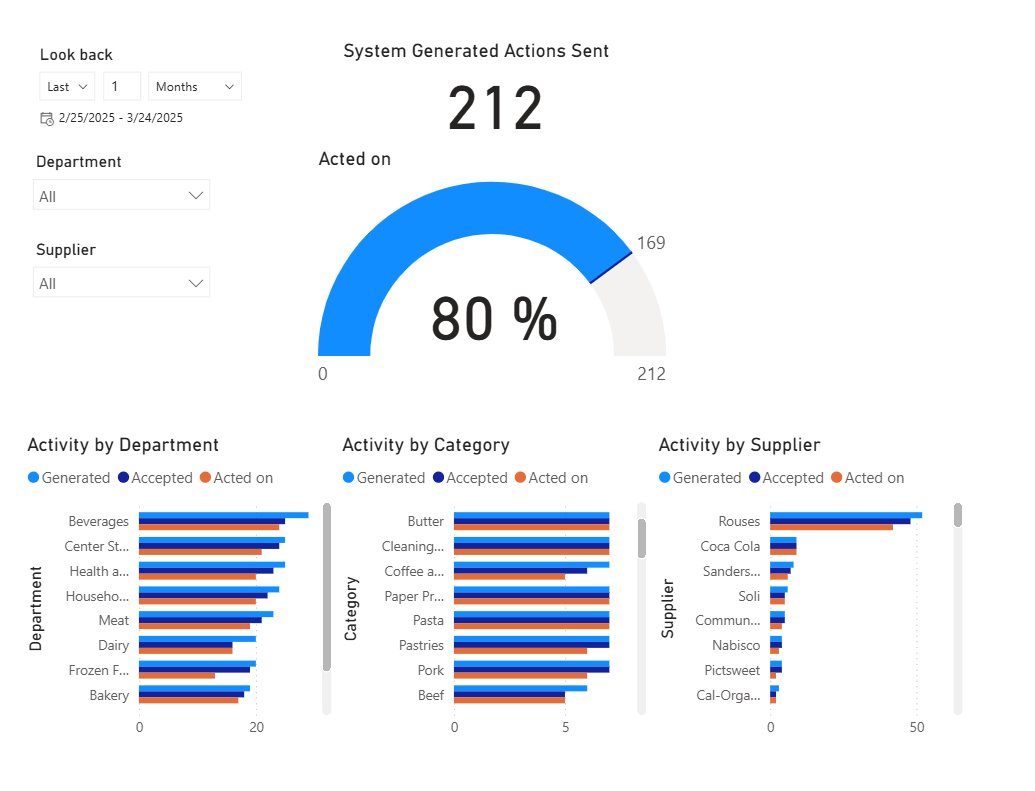
A scorecard by store, category and week.
Which gaps were found, which were closed, how fast, and what it was worth — so you can see where problems recur and where to focus resources.
Give us one store. See what the shelf shows.
A few aisles, filmed on the devices you already have. No hardware, and no sales data required to start.